Five steps from "I just signed up" to "I just sent my first storm-verified outreach through my own mailbox." Each section links straight to the page where you take that action.
RoofLeads only shows you leads inside territories you've claimed. Each territory is sold to one roofer at a time — for as long as you subscribe, nobody else sees those leads.
1Open the territories map and browse what's available.
2Pick a single city (Small / Mid / Large pricing) or lock out a whole county with a bundle (~70% of the city total).
3Stripe card-on-file checkout starts your 7-day free trial. No charge before day 8.
·Flat monthly by city size, from $399/mo. No per-lead fees. No setup fees.
·Annual saves ~17% (pay for 10 months, get 12).
·Add or release territories anytime from Settings — Stripe prorates automatically.
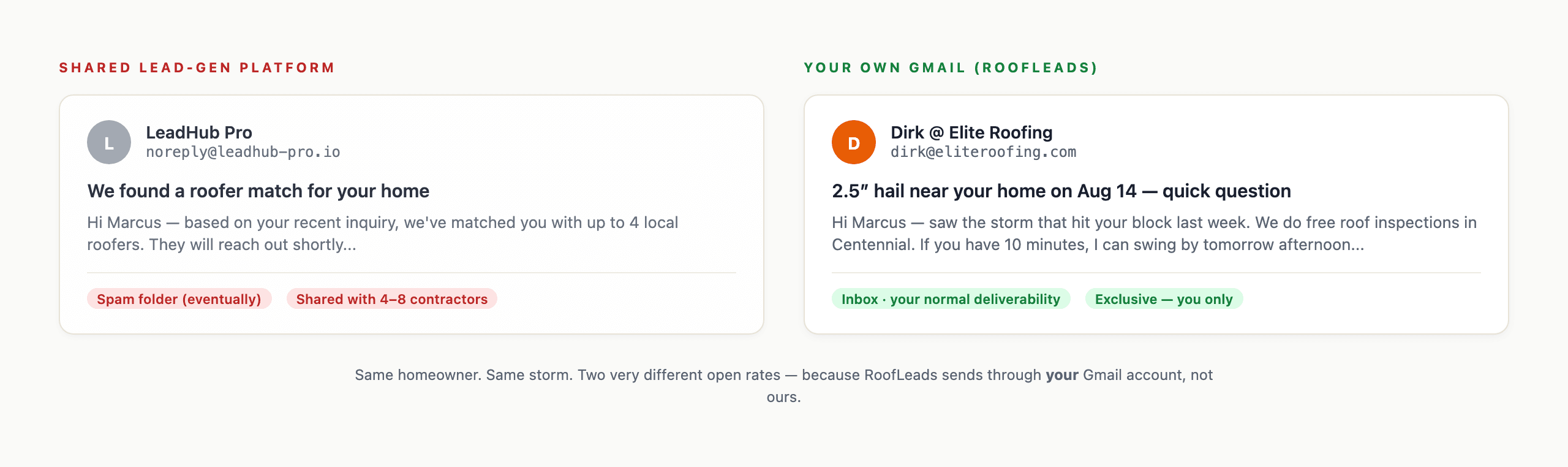
Optional. Your morning list and the rest of RoofLeads work without it. Connect your own mailbox (Gmail or Outlook / Microsoft 365) to email homeowners one at a time from a lead, or your Twilio number to text them. Those messages go out from your address, and replies come to your inbox. Signing in with Google is separate and never gives us access to your email.
1Open Settings. On Google? Click Connect Google in the Gmail panel. On Microsoft 365 / Outlook? Click Connect Microsoft instead — one mailbox per account. Sign in with the mailbox homeowners should see.
2If Google says “Google hasn't verified this app”, click Advanced, then Go to RoofLeads. That's expected — it's safe to continue.
3On Google's permission screen, tick “Send email on your behalf” (or “Select all”) before pressing Continue. Leave it unticked and you're signed in, but nothing can send. On Microsoft, check “Send mail as you” is listed, then click Accept.
4Back in Settings, we send one test email from your mailbox to itself. “✓ Your mailbox can send” means you're done. “Can't send — reconnect” means click Reconnect and tick the box.
5Optionally connect Twilio in the same Settings page — paste your Account SID, Auth Token, and From number.
·Gmail uses the gmail.send scope only; Outlook uses Mail.Send only — RoofLeads can't read your inbox with either.
·Twilio uses YOUR account, so SMS is billed directly to you, not us.
·Either connection alone is enough. Most subscribers connect their mailbox first, Twilio later.
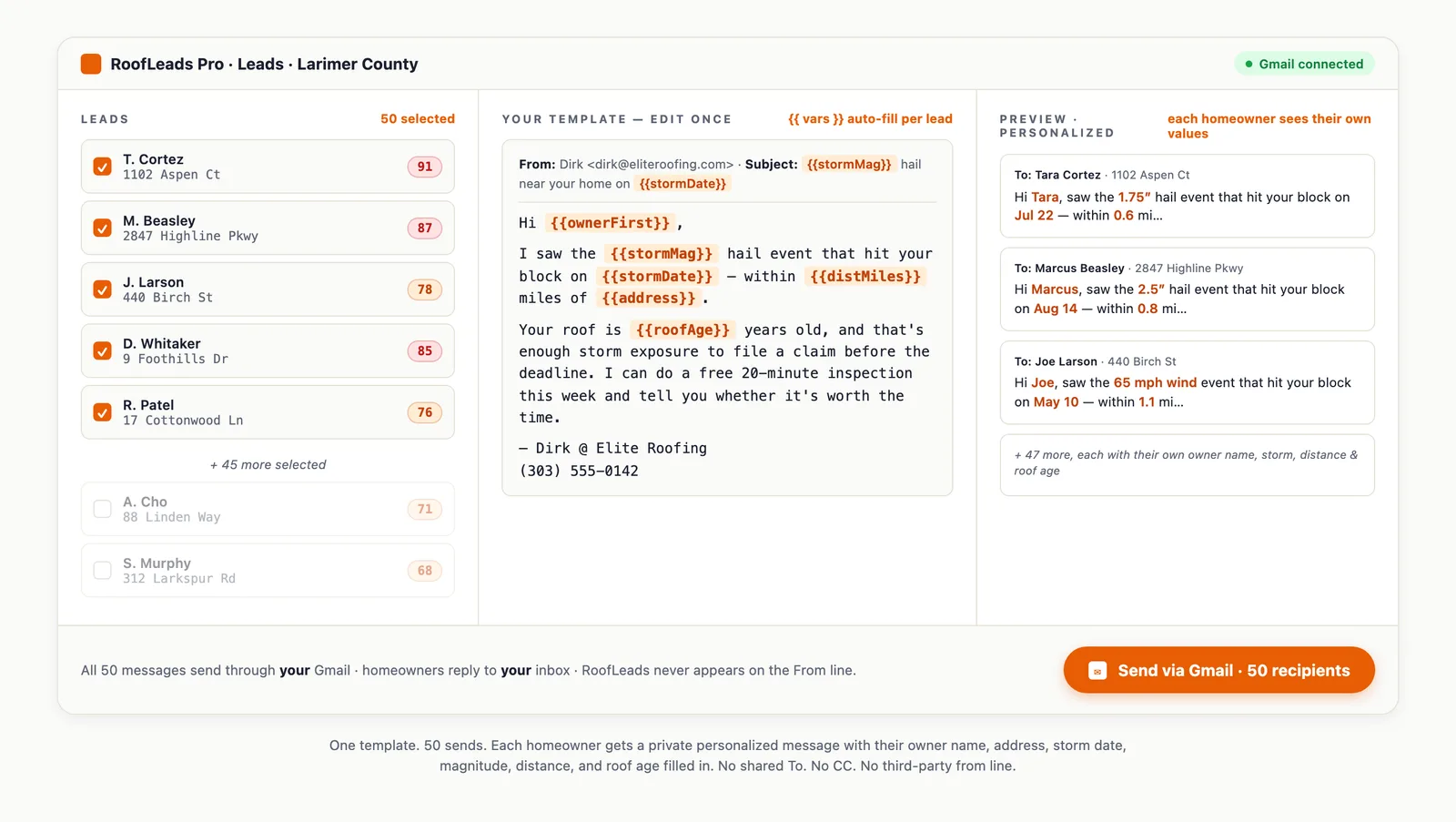
Edit the email and SMS templates once. Variables like {{ownerFirst}}, {{address}}, {{stormDate}}, {{stormMag}}, and {{roofAge}} auto-fill per homeowner — so every send is private and personalized, even when you bulk-send 50 at a time.
1Open Templates from the sidebar.
2Edit the email subject + body, and the SMS body. The live preview on the right renders against a sample lead so you see exactly what the recipient receives.
3SMS segment counter warns when you cross 160 characters (multi-segment SMS costs more on Twilio).
4Save. Templates are used on every Send via email / Send via SMS click going forward.
·Eleven supported variables — full legend on the Templates page.
·Use {{var | "fallback"}} syntax so missing data renders cleanly.
·Reset-to-default per section if you want to start over.
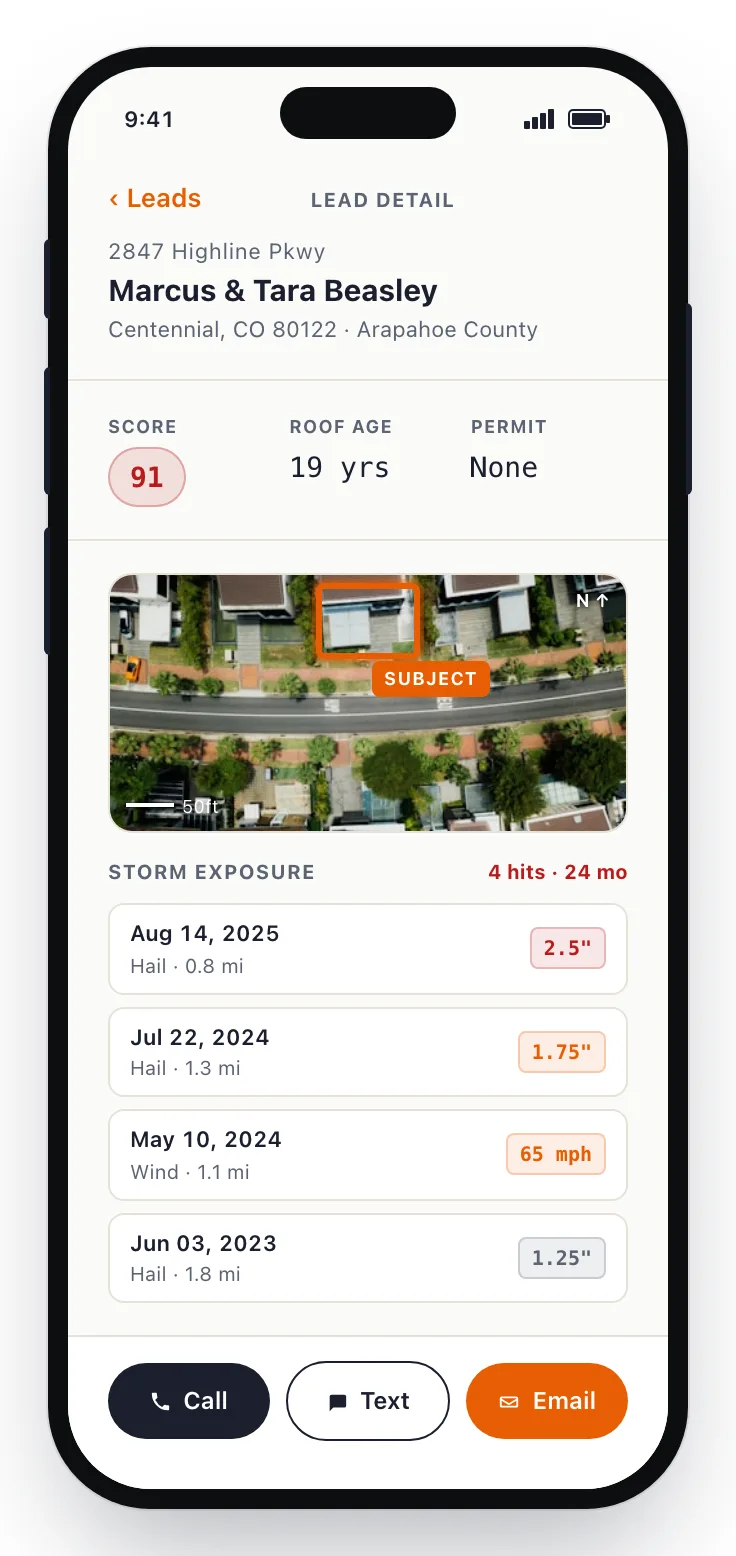
The first send is the moment everything clicks. Open a high-score lead, scan the storm exposure history and contact info (Do-Not-Call numbers flagged), then hit Send via Gmail or Send via SMS — a personalized message goes out through your own account.
1Go to Leads and pick a lead with a red score badge (85+).
2Read the storm exposure table — every reported or radar-estimated hail/wind event near that property, with date and distance.
3Click Send via email (or Send via SMS). The modal pre-fills your template with that homeowner's specific values.
4Send. The lead automatically moves to status "contacted."
·Phone numbers on the federal Do-Not-Call list are flagged and kept off call and text — you can't dial a federally-listed number through the platform.
·TCPA quiet-hours (8 PM – 8 AM local time) auto-block SMS sends.
·Bulk-select up to 50 leads at a time and send the same template, personalized per recipient.
·Every send writes an audit log row with the consent state at send time.
Move leads through the pipeline: new → contacted → scheduled → sold (or declined). The status drives your monthly quota — each lead you move out of "new" frees up another lead to view, and if you've connected HubSpot, every status change pushes a Contact upsert automatically.
1On any lead's detail page, click the status badge to change it.
2Status sequence: new → contacted → no_answer → scheduled → inspected → sold / declined.
3Add a note (e.g., "left voicemail Tuesday") for your future reference.
4Watch your quota refresh — marking a lead contacted unlocks the next-highest-score new lead.
·HubSpot integration: connect in Settings, every status change syncs as a Contact with the right hs_lead_status.
·CSV export from /dashboard/exports gives you the same data filtered any way you want — works for any other CRM.
·Sold leads with lifecyclestage = customer automatically in HubSpot.